
A LITTLE LESS FRICTION. A LOT MORE SPREADSHEET.
Online Excel editor.
Entirely on your device.
Open a workbook, make your changes, and get back to work. A familiar spreadsheet workspace, without an account or a file upload.
Drop your spreadsheet here
or choose a file from your device
XLSX, XLS, XLSM, XLSB, ODS, CSV & TSV
Up to 20 MB · Processed locally in your browser
OPEN. WORK. DOWNLOAD.
The spreadsheet you know.
A simpler way to get to it.
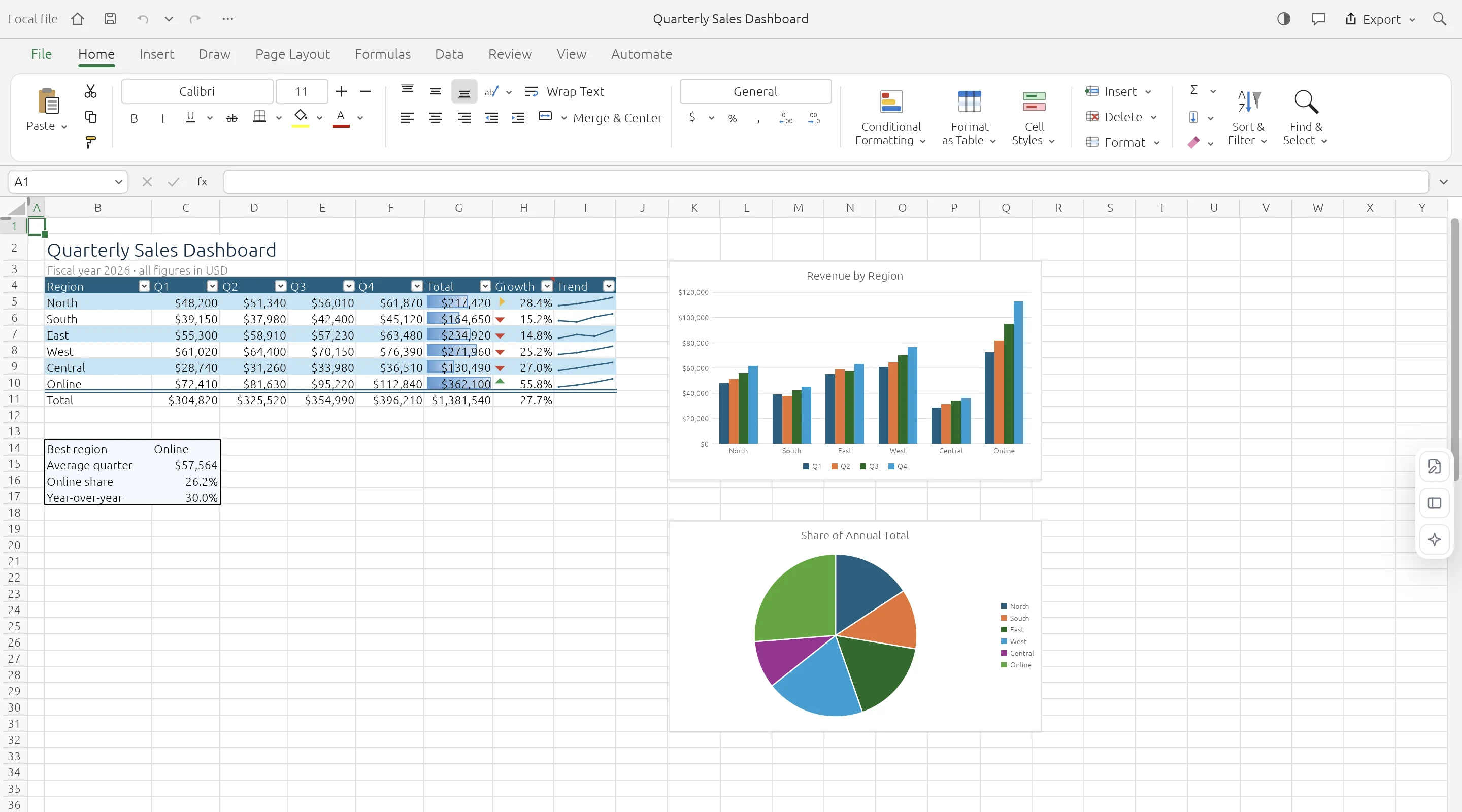
ExcelCraft puts the GridCraft spreadsheet engine in your browser. Use its familiar ribbon, formula bar, worksheet tabs, cell formatting, and calculation tools to work on local files. When you are done, download a new copy to your device.
- 01
Open your workbook
Choose a file or drop it here. It is read on your device, without sending the workbook to a server.
- 02
Make it your own
Edit cells and formulas, format a range, or explore the sheets using the familiar ribbon.
- 03
Download your changes
Save a new XLSX copy. Keep your original file and check the result before replacing it.
KNOW YOUR WORKSPACE
Useful by design.
Clear about the limits.
A real spreadsheet engine, with compatibility still growing. Keep your original workbook and check important data after editing or conversion.
GridCraft is in alpha. Read the engine’s compatibility notes
| IN YOUR WORKBOOK | WHAT TO EXPECT |
|---|---|
| Values & worksheets | Supported · Multiple sheets and cell data |
| Formulas & formatting | Supported · Compatibility varies by feature |
| Charts & workbook objects | Evolving · Check complex layouts |
| Legacy XLS files | Data import · Values, formulas, number formats |
| XLSB & ODS files | Saved values · Limited formula and style import |
| VBA macros | Not executed |
| Cloud save & collaboration | Not available · Download to keep your work |
A FEW PRACTICAL ANSWERS
Before you open
that workbook.
Your file stays local. Your original stays intact. Your next step stays simple.
Is this online Excel editor free?
Yes. You can open, edit, and download spreadsheets without an account or a subscription.
Does my spreadsheet leave my device?
No. The spreadsheet engine runs in your browser. File contents are processed locally and are not uploaded to ExcelCraft.
Does ExcelCraft replace Microsoft Excel?
It is useful for quick spreadsheet work. The underlying engine is in alpha, so complex workbooks may render or behave differently. Check important results in your usual spreadsheet application.
Will my work be saved automatically?
No. Download your workbook before closing or refreshing the editor. There is no cloud storage or recovery service.
Can I use VBA macros?
No. VBA macros are not executed. Do not rely on this editor to preserve macro workflows or unsupported workbook features.